
macOS • Windows • Linux
Code review-First git client
Github, Devops, Gitlab, Bitbucket
Code Reviews,
Rewired for Humans
A Git client built for thoughtful code review
Compare branches, review PRs with inline comments, trace history with blame, full language support and symbol indexing all in one native workspace.
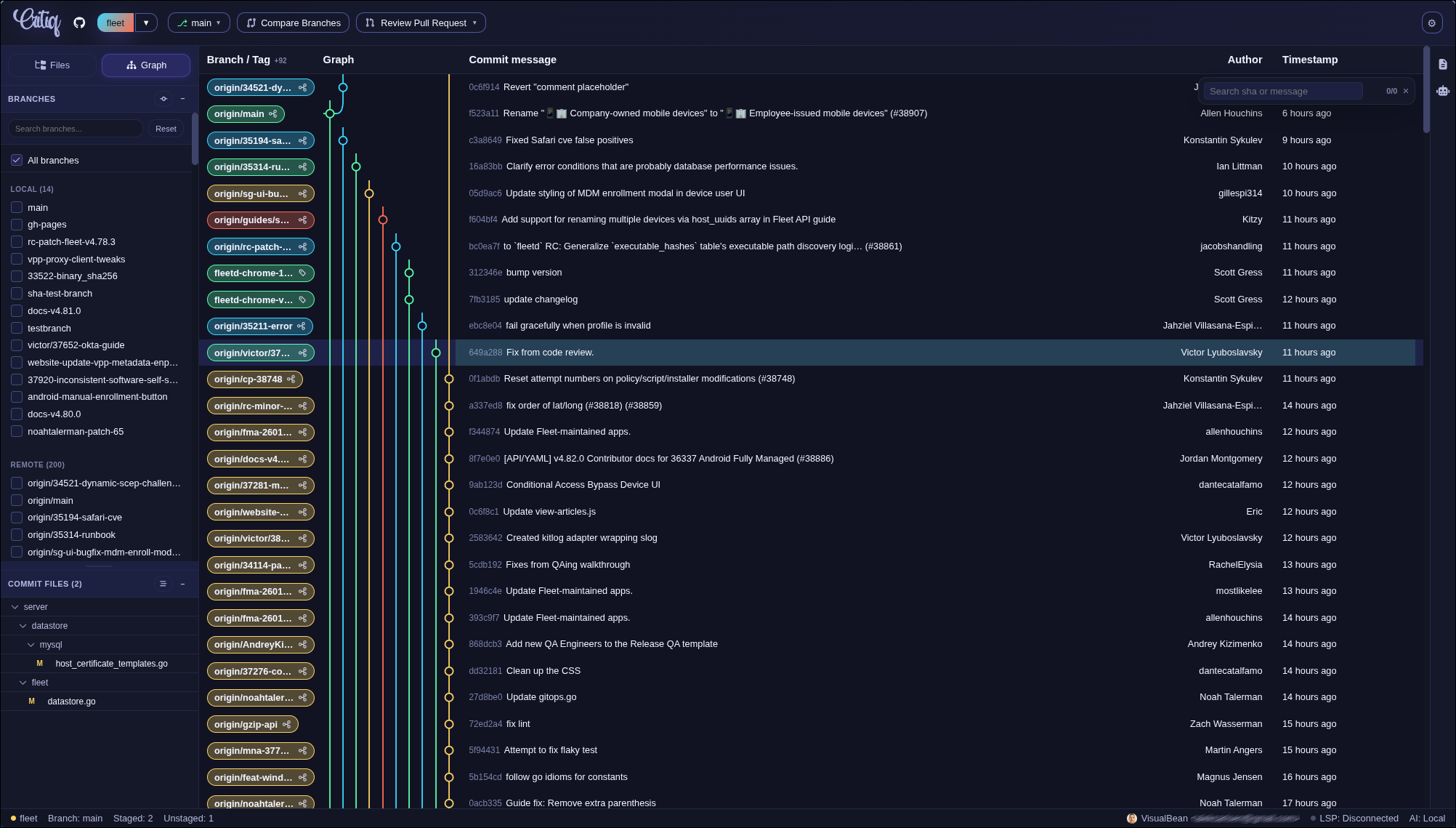 Git Log
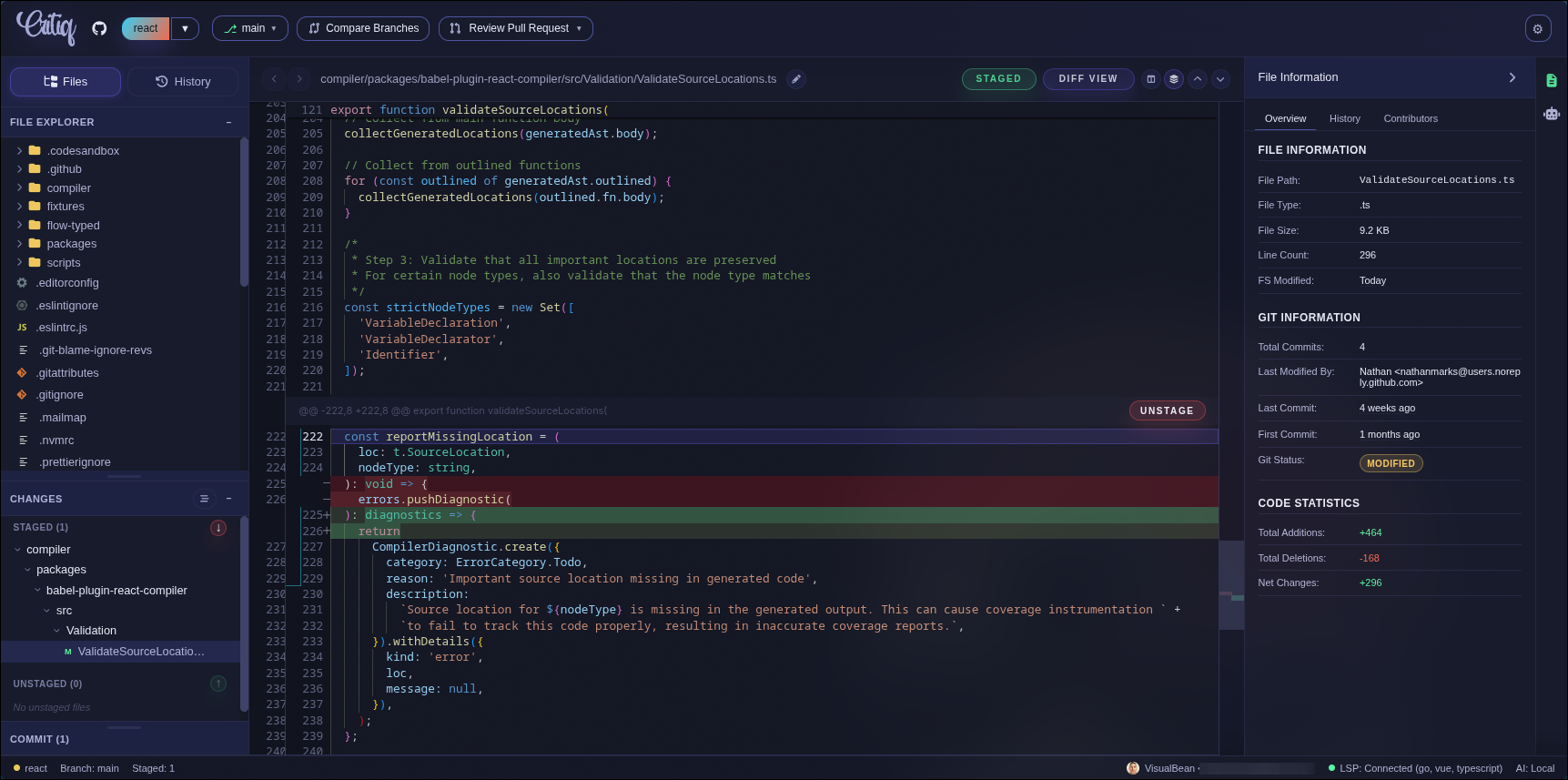 Git Client
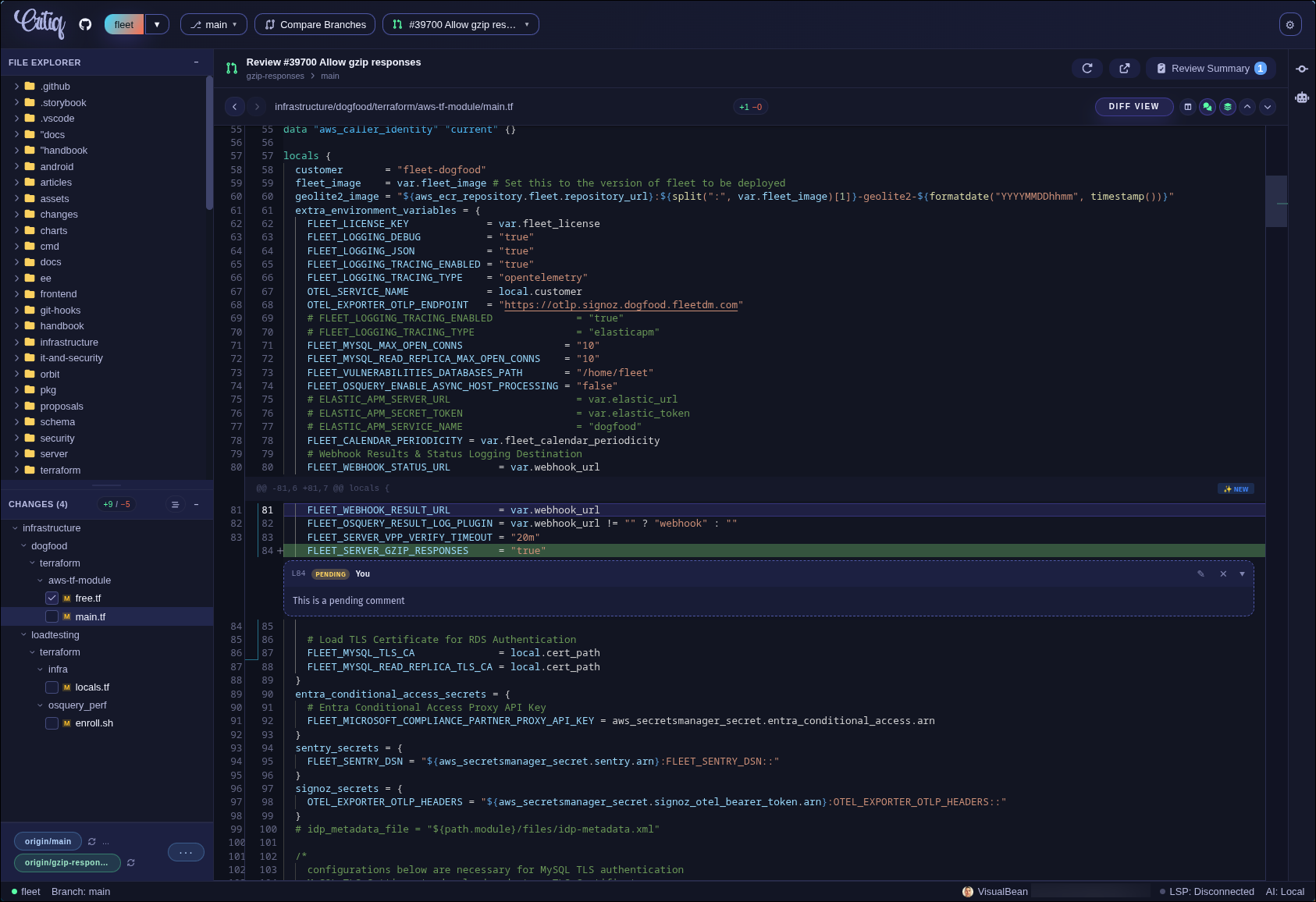 PR Review
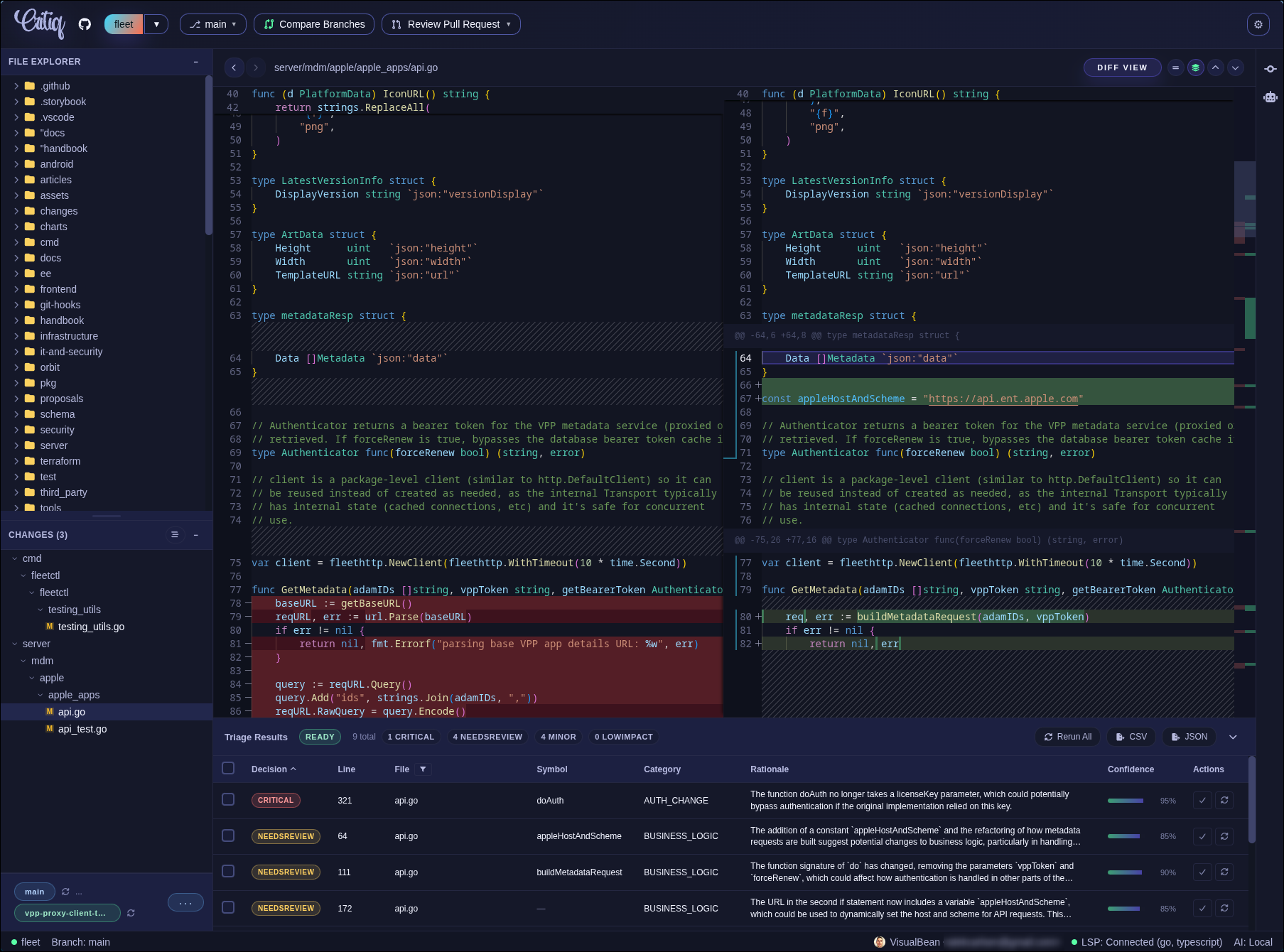 Branch Compare
Four Capabilities That Transform Code Review
Built for Fluid Workflow
Review with editor-grade intelligence—hover types, jump to definitions, and navigate code like a pro.
Regular git client, with all of the code reviewing capabilities you need
Review pull requests with inline comments and file triage badges—no context switching.
Compare any branches without checkout. AI triage highlights risky hunks first.
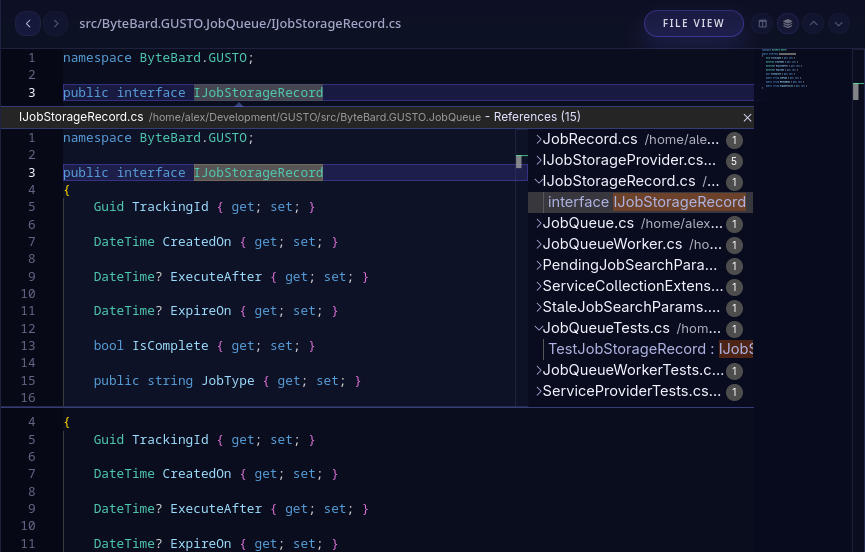
Hover for types, jump to definitions, and navigate code with full language server support.
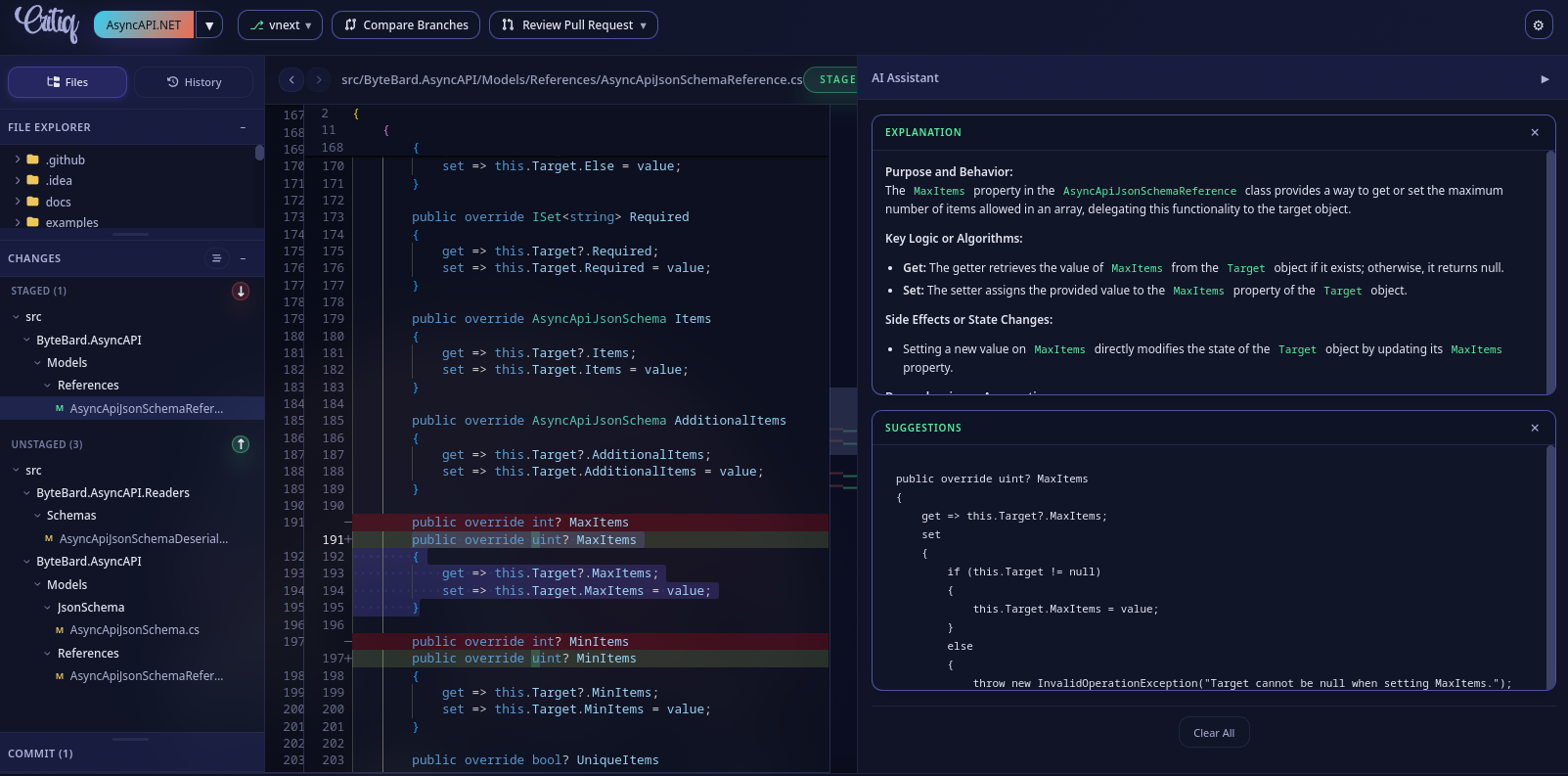
AI That Understands Your Diff
Explain complex changes, auto-triage hunks by risk, draft improvement suggestions, or generate commit messages using Claude, GPT, Gemini, or local models. Works with LM Studio and custom endpoints.
Editor-Grade Intelligence, Review-First UX
Every feature you need for professional code review.
Code Intelligence
- LSP support for any language
- Jump to definitions, view references, hover for types
- Syntax highlighting and minimaps
- Back/forward navigation history
- Edit mode for quick fixes
Collaboration & Workflow
- OAuth with GitHub, GitLab, Bitbucket, Azure DevOps
- Self-hosted providers (Gitea, Forgejo, GitLab)
- Commit profiles with GPG signing
- Markdown and image rendering
- Merge conflict resolution
- Command palette and keyboard shortcuts
- Line-level + hunk-level staging for granular commits
- Hunk-level change tracking in PR reviews
Get Critiq Today
Individual User License
$29 • one-time
Start free for 14 days. When you're ready, buy a lifetime license for personal use and keep Critiq forever. One license unlocks every feature today and every desktop update we ship down the line.
Buy Now All future desktop builds included. Lifetime license.Frequently Asked Questions
What platforms does Critiq support?
Critiq runs natively on macOS, Windows, and Linux. All features work identically across platforms.
How does LSP integration work?
Critiq uses a Neovim-style config where you map file extensions to LSP binary paths. If an LSP server exists for your language, Critiq can use it. Common languages (TypeScript, Python, Rust, Go, etc.) work out of the box.
What Git providers are supported for OAuth?
One-click sign-in for GitHub, GitLab, Bitbucket, and Azure DevOps. No manual token setup required—just click to authenticate.
How do commit profiles work?
Commit profiles let you maintain separate identities (name, email, GPG key) per Git provider. Critiq auto-selects the right profile based on your repo's remote URL, then falls back to local or global git config if no match is found.
Which AI models does Critiq support?
Critiq works with Claude (Anthropic), ChatGPT (OpenAI), Gemini (Google), and local models via LM Studio or custom HTTP endpoints. You control which model to use and can switch anytime.
How do I get started with Critiq?
Download Critiq from our downloads page and start free for 14 days. If it fits your workflow, purchase a $29 one-time license to keep using all features forever.
What's included in the $29 license?
Everything. All current features and all future desktop updates. The lifetime license is for personal use on up to 2 devices at a time.
Does Critiq replace my existing Git client?
It can, but you don't have to. Many users run Critiq alongside their existing tools—using Critiq for review workflows and their terminal/IDE for quick commits. Critiq handles all standard Git operations if you want a full replacement.