
Complete Feature Directory
If you are evaluating GitKraken or SourceTree alternatives, this page is the fastest way to see where Critiq is different: review depth, branch comparison, AI assistance, code intelligence, and a simpler licensing model.
Code Review & Collaboration
Pull Request Reviews
Review pull requests directly in a native desktop client. No browser required. Critiq loads PR context, inline comments, and file changes locally so you can review without switching away from your Git workspace.
- Stacked PR Review - Review stacked pull requests with proper parent/child context so each layer is easier to validate independently. Critiq is one of the few desktop Git clients with dedicated stacked PR workflow support
- Inline Comments - Add comments directly on code lines, synced with GitHub, GitLab, Bitbucket, and Azure DevOps
- File Triage Badges - AI-powered risk assessment highlights which files need more attention
- Hunk-Level Change Tracking - Smart detection shows which specific hunks have been reviewed, modified, or are new since your last review
- Hunks-Only Review Mode - Focus only on changed hunks to cut noise during larger reviews
- Hidden Character Scanner - Detect suspicious bidi, zero-width, and private-use Unicode in PR diff hunks before they become a security risk
- PR Obfuscation Scanner - Detect obfuscated code, suspicious execution paths, and install-time backdoor patterns in PR diff hunks before they land
- Review State Persistence - Checkmark files as reviewed, with state maintained across commits
- Visual Image Diffing - Review changed images with side-by-side and onion-skin compare modes, including added/deleted image states
- Markdown and Image Rendering - View Markdown files as rendered HTML with mermaid diagram support or raw source, plus image rendering in diffs
Branch Comparison
- Compare Branches Without Checkout - Diff any two local or remote branches without switching branches or touching your working directory. This keeps your current work intact while you review
- Uncommitted Change Warnings - Smart alerts when comparing branches with uncommitted changes
- Image Compare in Branch/PR Views - Visual image diffing works in branch comparisons and PR review flows, including commit-level image review
- AI Auto-Triage - Automatically surfaces risky or complex changes first
- File Tree at Branch State - Explore complete file structure at any branch state
Git Provider Integration
- One-Click OAuth - GitHub, GitLab, Bitbucket, and Azure DevOps sign-in without manual tokens
- Self-Hosted Providers - Full support for Gitea, Forgejo, and GitLab Self-Hosted with custom OAuth
- Commit Profiles - Create multiple named identities, pin them per repository, and set provider-level defaults
- GPG Signing - Automatic commit signing with GPG or SSH keys
LSP Navigation & Symbols
Language Server Protocol (LSP)
- Universal LSP Support - Full LSP integration in diff views and everywhere else. If an LSP exists, Critiq supports it
- Hover Information - View type signatures, documentation, and inline details on hover
- Jump to Definition - Navigate to symbol definitions with a single click
- Find References - See all usages of a symbol across the codebase
- Pre-Configured Languages - Out-of-the-box support for Go, Rust, C#, Vue, TypeScript, JavaScript, Python
- Custom LSP Configuration - Neovim-style config to map any file extension to any LSP binary
Code Navigation
- Symbol Search - Full-text symbol search across the entire codebase
- File Search - Fast fuzzy file finding with keyboard shortcuts
- Text Search with Change Hunk Indicators - Search across files and instantly see whether each result is inside a changed hunk
- Hunk Navigation - Jump between diff hunks with keyboard shortcuts (Ctrl/Cmd+J/K)
- Back/Forward History - Navigate through code jumps like a browser, maintaining mental context
- Syntax Highlighting - Comprehensive syntax support for all major languages
- Minimaps - Visual code overview for quick orientation
- Monorepo Workspaces - Scope the file tree to a workspace while LSPs and symbol indexing run from the workspace root
Full Editor Capabilities
- Edit Mode (Ctrl/Cmd+E) - Full editor in any file, even in diff mode with red/green change bars still visible
- Edit While Reviewing - Make quick fixes while reviewing code without leaving the diff view
- Adjustable Font Size & Family - Customize code view typography to your preference
AI-Powered Intelligence
Bring Your Own AI
- Multi-Model Support - Works with Claude (Anthropic), ChatGPT (OpenAI), Gemini (Google), GitHub Copilot, and local models
- Built-In Local Models - Download and run local LLMs directly in Critiq. No external tools required
- Configurable Context Size - Adjust local model context window (512 to 128K tokens) to balance memory usage and capability
- OpenAI-Compatible Endpoints - Use Ollama, LM Studio, AWS Bedrock, Azure OpenAI, or any compatible endpoint
- Custom Endpoints - Configure custom HTTP endpoints for any compatible API
- Switch Anytime - Change models on the fly without reconfiguration
AI Code Review
- Context-Aware Analysis - AI reviews understand your code structure, not just the diff. Symbol definitions, callers, and test coverage inform every finding
- Evidence-Backed Findings - Every issue includes specific line references and code excerpts, with confidence scores and automatic suppression of low-quality results
- Caller Impact Discovery - Automatically discovers functions that call changed code to assess blast radius
- Test Coverage Awareness - Detects existing tests for changed symbols to better assess refactoring risk
- Symbol-Level Review Units - Changes are grouped by function/class so AI understands logical boundaries, not just line ranges
- Multi-File Review - Review all changed files at once or focus on individual files
- Clear AI Findings - Easily dismiss AI suggestions when you've addressed them or disagree
AI Capabilities
- Explain Diffs - Get natural language explanations of complex code changes
- Auto-Triage - AI analyzes changes and highlights files that need more attention
- Improvement Suggestions - Draft potential improvements or refactorings for reviewed code
- Hunk-Level Triaging - AI identifies which specific hunks in a diff are most critical
- Generate Commit Messages - AI-powered commit message generation based on staged changes, with neutral, developer, feature, and conventional styles
Git History & Blame
History Navigation
- Commit Timeline - Navigate through complete file history
- Blame Overlay - See authorship and commit info inline with code
- Trace Evolution - Understand how code changed over time
- Commit Context - View full commit messages and metadata
- Commit File Lists - Inspect per-commit file changes directly from the graph view
File Information
- Deep File Information Blade - Comprehensive file details including changes, changers, and evolution
- Previous Filenames - Track file renames and moves across history
- Changes Over Time - Visualize how files have evolved
- Contributor Analysis - See who has worked on specific files
Git Workflows
Working Tree Management
- Working Mode - Primary mode for reviewing your own changes (main git client functionality)
- Staged/Unstaged Split View - Monitor both staged and unstaged changes side-by-side
- Scratchpad - Park file or hunk changes temporarily and restore them later without losing your flow
- Directory Collapse - Organize changes by collapsing directories
- Stage on Hover - Quick staging actions with hover interactions
- Line-Level Staging - Stage or unstage individual changed lines with gutter + / - controls
- Hunk-Level Staging - Stage individual hunks with Ctrl/Cmd+S
- File-Level Staging - Stage entire files with Ctrl/Cmd+Shift+S
- Secret Scanning - Automatically scan staged changes for API keys, tokens, and credentials before commit using gitleaks
Git Operations
- Command Palette - Full git command palette accessible via keyboard (Ctrl/Cmd+P)
- Commit Composer - Split staged changes into multiple focused commits by organizing files and hunks into commit buckets before execution
- Interactive Rebase (Janitor Mode) - Reorder, squash, and clean up branch history in-app with validation
- Git Commands on Files - Stage, unstage, discard, delete directly from command palette
- Global Git Commands - Commit, push, pull, fetch, stash from command palette
- Stashing - Smart stashing with support for specific files and folders
- Merge Conflict Resolution - Inline conflict resolution tools
- Branch Management - Create, delete, and switch branches
- Branch Prefixes - Configure default branch naming prefixes for faster, consistent branch creation
- Push/Pull/Fetch - Standard git remote operations
- Clone from URL - Clone repositories directly from URLs
- Submodule Awareness - Submodule updates show commit ranges between SHAs and open in a dedicated diff view
Security Guardrails
Critiq keeps security checks close to review and commit instead of pushing them into a separate scanning workflow after the fact.
Review-Time Protection
- Hidden Character Scanner - Detect suspicious bidi, zero-width, and private-use Unicode in pull request diff hunks before they become a review-time trap
- PR Obfuscation Scanner - Detect high-entropy blobs, encoded payloads, unsafe deserialization, dynamic execution, and install-time backdoor patterns in pull request diff hunks
- Warning Badges In File Lists - Mark affected files during review so suspicious changes stay visible while you work
Pre-Commit Protection
- Staged Secret Scanning - Scan staged changes for API keys, tokens, and credentials before commit using gitleaks
- Shield Indicators - Highlight staged files with findings before you commit
- Commit Warning Modal - Review findings in a focused warning modal before the commit goes through
- Project Rules Support - Prefer repository
.gitleaks.tomlrules when they exist
For setup details and examples, see Git security, commit signing, and secret scanning.
Productivity & UX
Command Palette
- File Search (Ctrl/Cmd+P) - Fuzzy file finding
- Symbol Search - Search for functions, classes, and other symbols
- Git Commands (>) - Execute git operations on files
- Jump to Line (:
) - Go to specific line numbers - Changed Files in Comparison - Quick navigation to changed files in comparison modes
Keyboard Shortcuts
- Ctrl/Cmd + P - Toggle quick file search
- Ctrl/Cmd + H - Previous file (navigate file history in working changes)
- Ctrl/Cmd + L - Next file (navigate file history in working changes)
- Ctrl/Cmd + J - Next hunk
- Ctrl/Cmd + K - Previous hunk
- Ctrl/Cmd + Shift + J - Next file (changes list, or file explorer when viewing a file)
- Ctrl/Cmd + Shift + K - Previous file (changes list, or file explorer when viewing a file)
- Ctrl/Cmd + S - Stage/unstage current hunk (or save file in edit mode)
- Ctrl/Cmd + Shift + S - Stage/unstage entire file
- Ctrl/Cmd + E - Toggle edit mode
- Ctrl/Cmd + Shift + R - Toggle file reviewed status (PR mode)
- Ctrl/Cmd + M - Cycle image diff mode (single, side-by-side, onion skin)
- Ctrl/Cmd + B - Blink overlay in onion-skin mode
- Arrow Left/Right - Decrease/increase onion-skin opacity (Shift for larger steps)
- Fully Customizable Keybindings - All keyboard shortcuts can be configured to your preference
User Experience
- Interactive Tour - Guided tour to help new users get started
- Context Menus - Right-click context menus for branches, files, and hunks
- Responsive Design - Works on various screen sizes
- Native Performance - Desktop-native for macOS, Windows, and Linux
- Localized Interface - Use Critiq in English, Spanish, or French
- Status Bar Profile Switcher - Click the identity text to quickly change the current repository's commit profile
- Symbol Index Status - Real-time status of symbol indexing in bottom status bar
- Search During Indexing - Search symbols even while indexing is in progress
Themes & Personalization
Tune Critiq to match how you work, from the full application chrome to editor syntax highlighting in every diff.
Theme Support
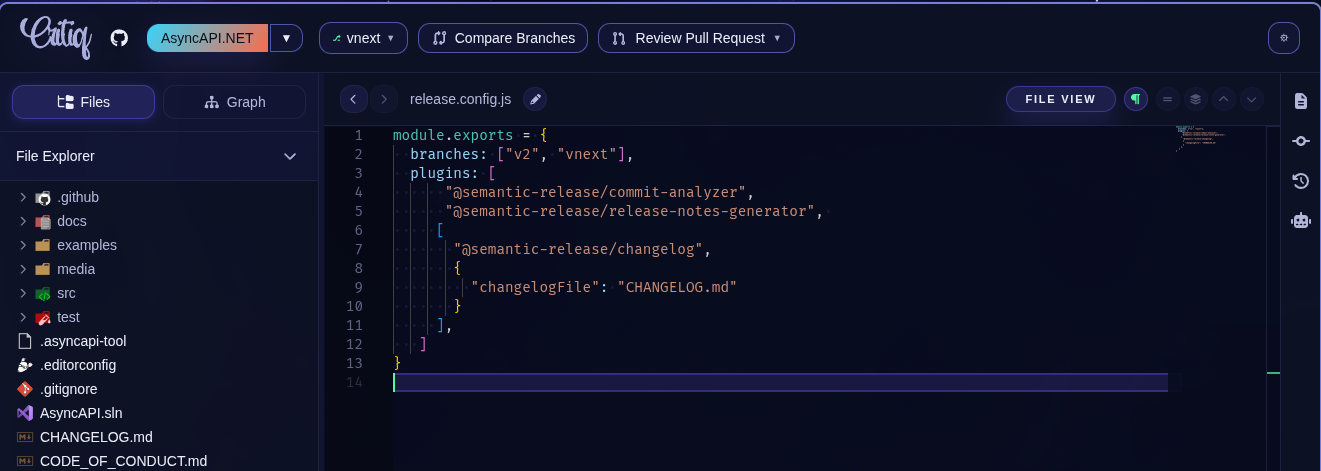
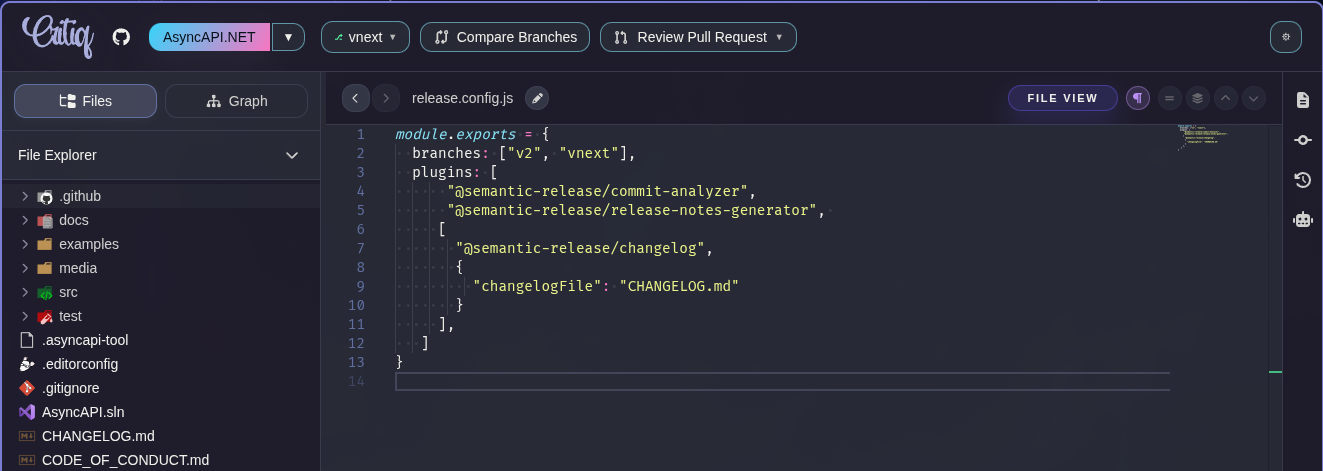
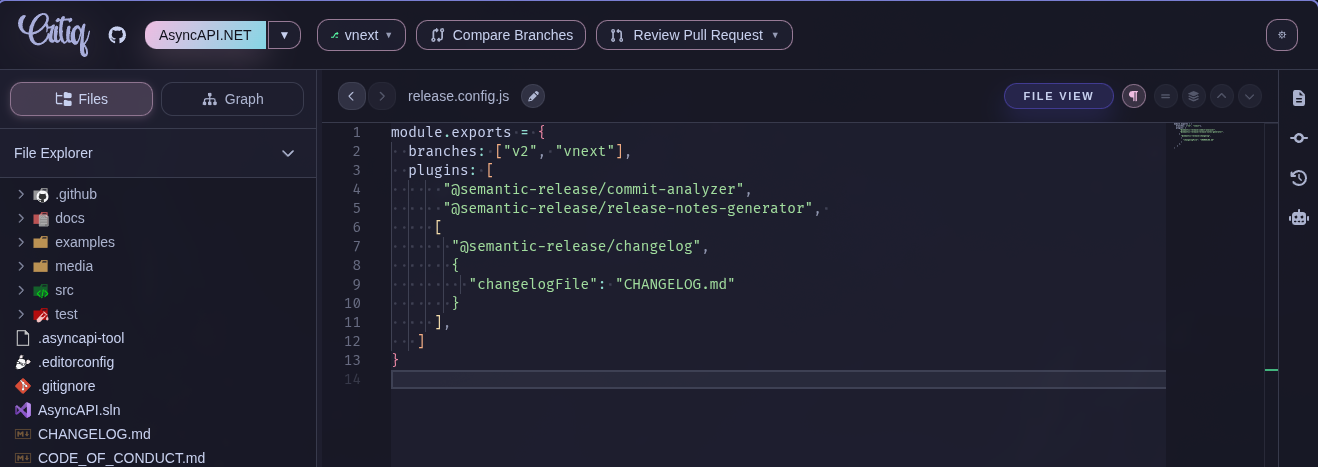
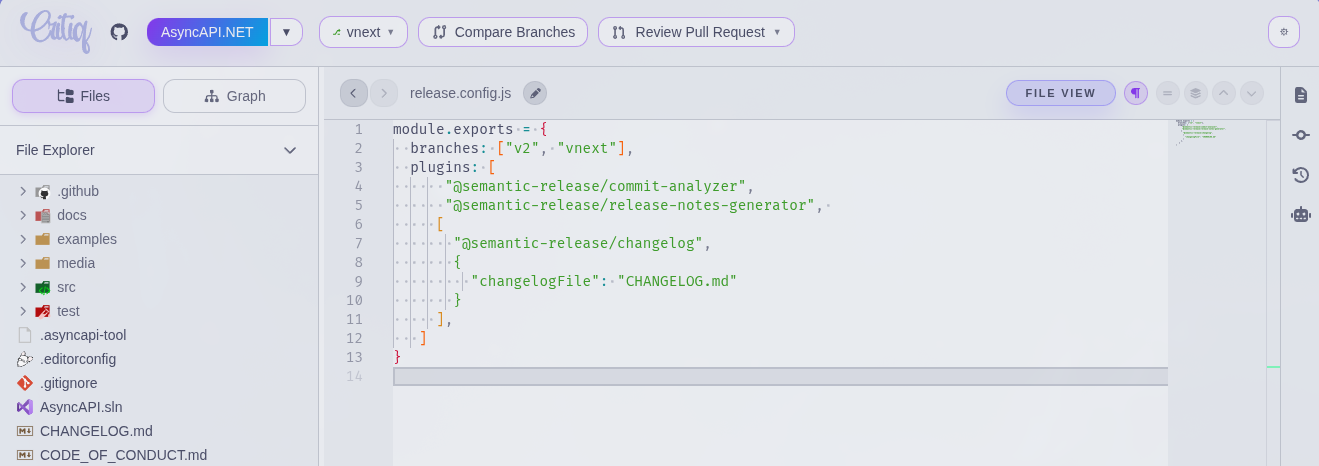
- App-Wide Themes - Switch the full Critiq interface between Critiq Basic, Dracula, Catppuccin Mocha, and Catppuccin Latte
- Editor Theme Control - Choose UI and editor themes independently so diffs can use the syntax palette you prefer
- Readable Review Surfaces - Theme colors carry through sidebars, file lists, diff gutters, and Monaco editor tokens
Language Preferences
- Display Language - Choose English, Spanish, or French in Settings → Additional Settings → Appearance
Platform Support
Operating Systems
- macOS - Native Apple Silicon and Intel support
- Windows - Windows 10 and 11
- Linux - Debian, Ubuntu, Fedora, Arch, and other distributions
CLI Integration
- Repository Launch - Open repositories via CLI:
critiq /path/to/repo
Maintenance & Support
Updates
- Auto-Update - Automatic desktop updates with fallback mechanisms
- Changelog in App - View release notes directly in settings
- One-Time License - $29 includes all future updates forever
Diagnostics
- Bug Reporting - In-app bug reporting directly from settings
- Diagnostic Logs - Detailed logs for troubleshooting
- LSP Test Button - Test LSP configuration directly in settings
Compare Critiq
Evaluating established Git clients? See the focused side-by-side pages for Critiq vs GitKraken and Critiq vs SourceTree. They stay practical and concentrate on review workflows, LSP navigation, pricing, and platform fit.
Ready to Transform Your Code Reviews?
Get Critiq today for $29 • one-time • all features • all future updates
Get Critiq