
Reviewing Changes
On this page
Ways to read and move through changes: diff layouts, search and filters, and previews for images and Markdown. Pull request review is covered in Pull Requests, and hover and go-to-definition in Code Navigation.
Diff View Modes
Click the view mode button in the diff toolbar to toggle between inline and split view. Right-click it to choose from all available modes and options:
- Inline view - Added and removed lines shown in a single column.
- Split view - Before and after shown side by side.
- Inline wrapped / Split wrapped - Same as above with line wrapping enabled.
- Hunks only - Collapses unchanged context so only the changed hunks are visible. Useful for large files with scattered changes. This setting is persisted across sessions.
Diff Header Display Options
The old single Show/Hide hidden characters button is now a paragraph-icon dropdown in the diff header with multiple toggles.
- Ignore whitespace - Computes diffs using whitespace-insensitive matching, which helps remove indentation/spacing-only noise.
- Show hidden characters - Reveals spaces, tabs, and other hidden characters inline.
If a file only contains whitespace changes while Ignore whitespace is enabled, Critiq shows a clear empty-state message instead of rendering noisy diff output.
File Tree Text Search
Open File Tree Text Search with your configured shortcut to search across the repository without leaving the sidebar. You can scope results to changed files only and use hunk markers to see whether each result line is inside a changed hunk.
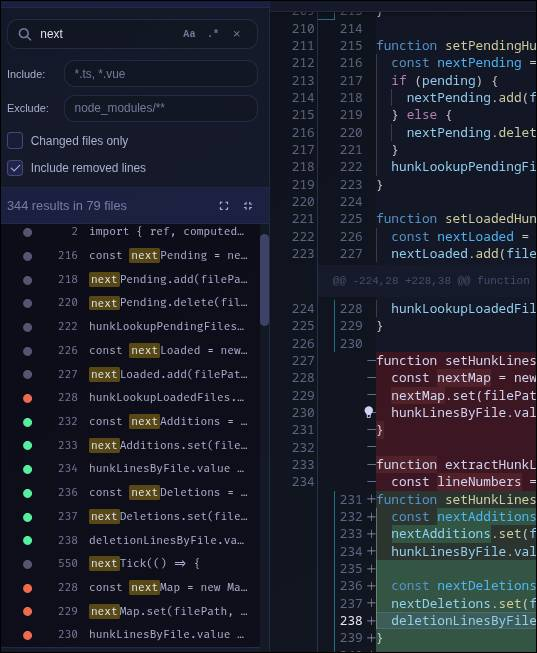
- Green dot - The matched line is inside a changed hunk.
- Red dot - The matched line was removed (only shown when "Include removed lines" is enabled).
- Gray dot - The file is changed, but that matched line is outside changed hunks.
- No dot - The result is from a file outside the current changeset, so hunk status does not apply.
Filtering File Lists
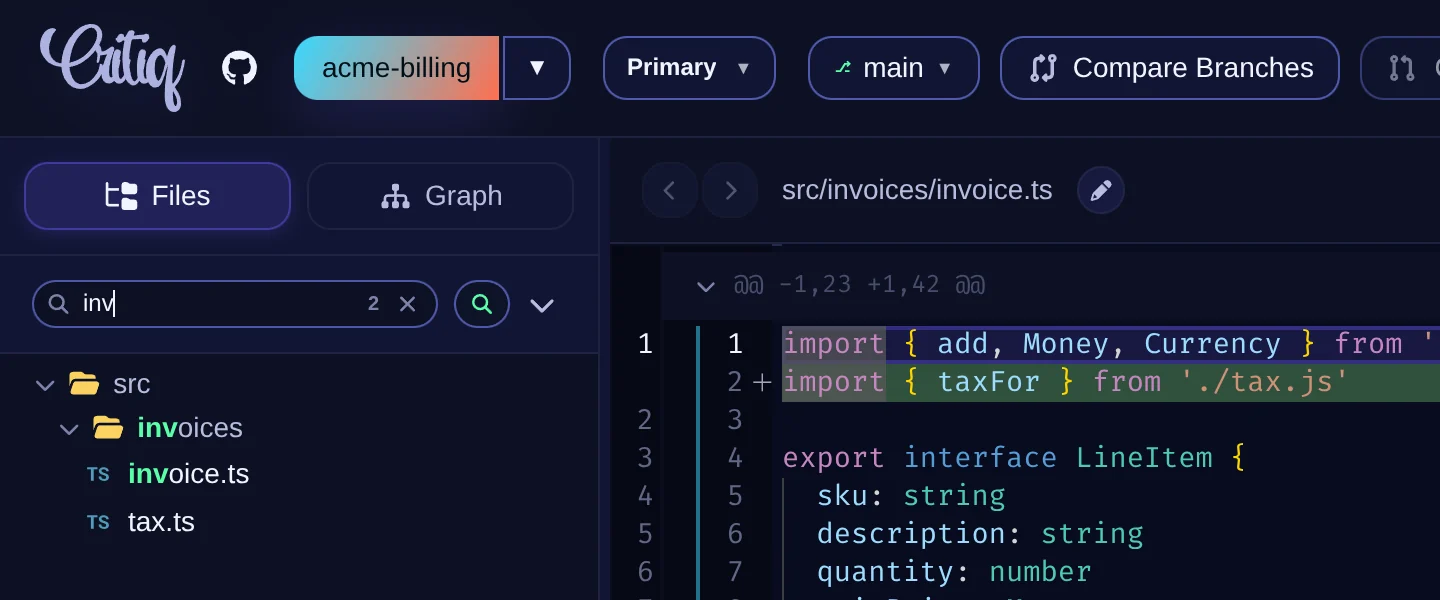
The Changes, File Explorer, and comparison panels each have a magnifier button in their header. Click it to narrow that list down to matching files.
-
Fuzzy matching - Letters only need to appear in order, so
ftcfindsFileTreeChanges.vue. Matched letters are highlighted and the match count shows in the box. - Keyboard - Arrow Down moves from the box into the results, the arrow keys move between them, and Enter opens one.
- The filter matches file and folder names; a matching folder keeps its files visible. To search file contents, use File Tree Text Search.
Visual Image Diff Preview
Critiq supports first-class visual image diffing in Preview mode for working tree review, commit file review, and branch/PR comparisons.
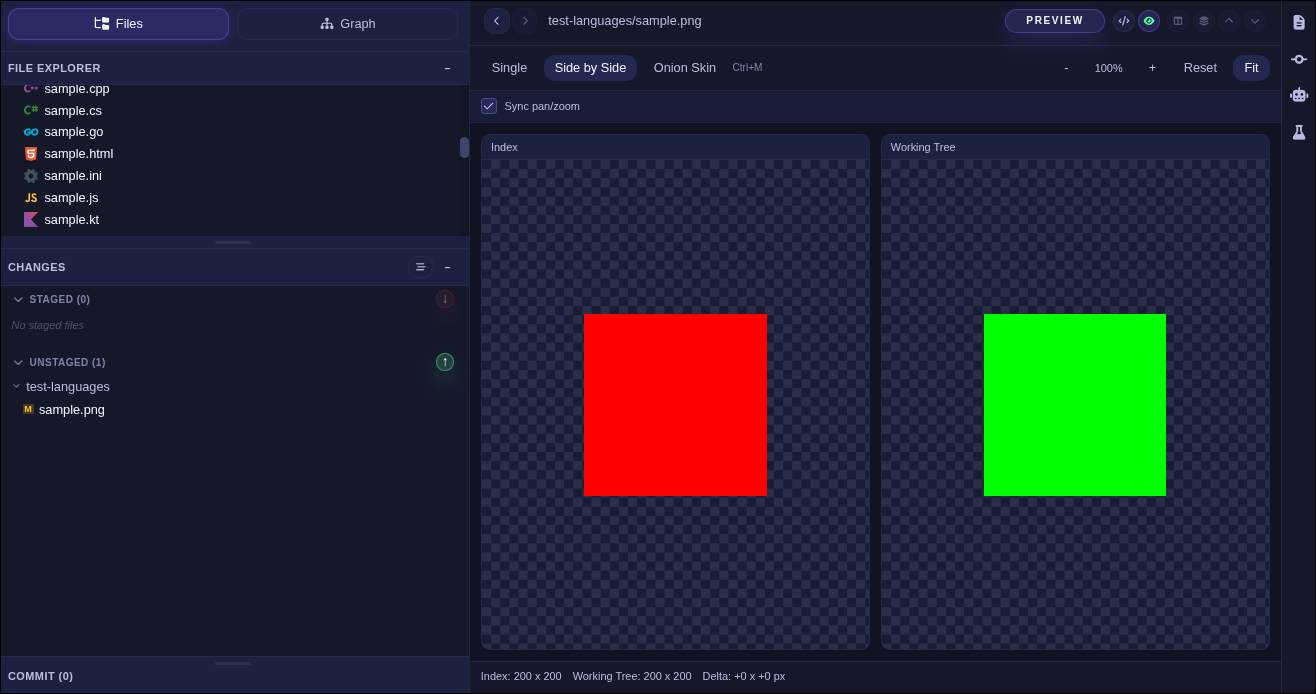
- Single mode - View one side only (ideal for unchanged files or file explorer image opens).
- Side-by-side mode - Compare before/after images with synced pan/zoom.
- Onion-skin mode - Overlay before/after with adjustable opacity for subtle visual shifts.
- Added/Deleted states - Critiq clearly labels image additions and removals when one side is missing.
In onion-skin mode, use arrow keys for fast opacity tuning while reviewing.
Markdown Preview
Click the eye button in the diff toolbar on any Markdown file to render it. Preview works in every mode: working changes, commits, branch comparisons, and pull requests.
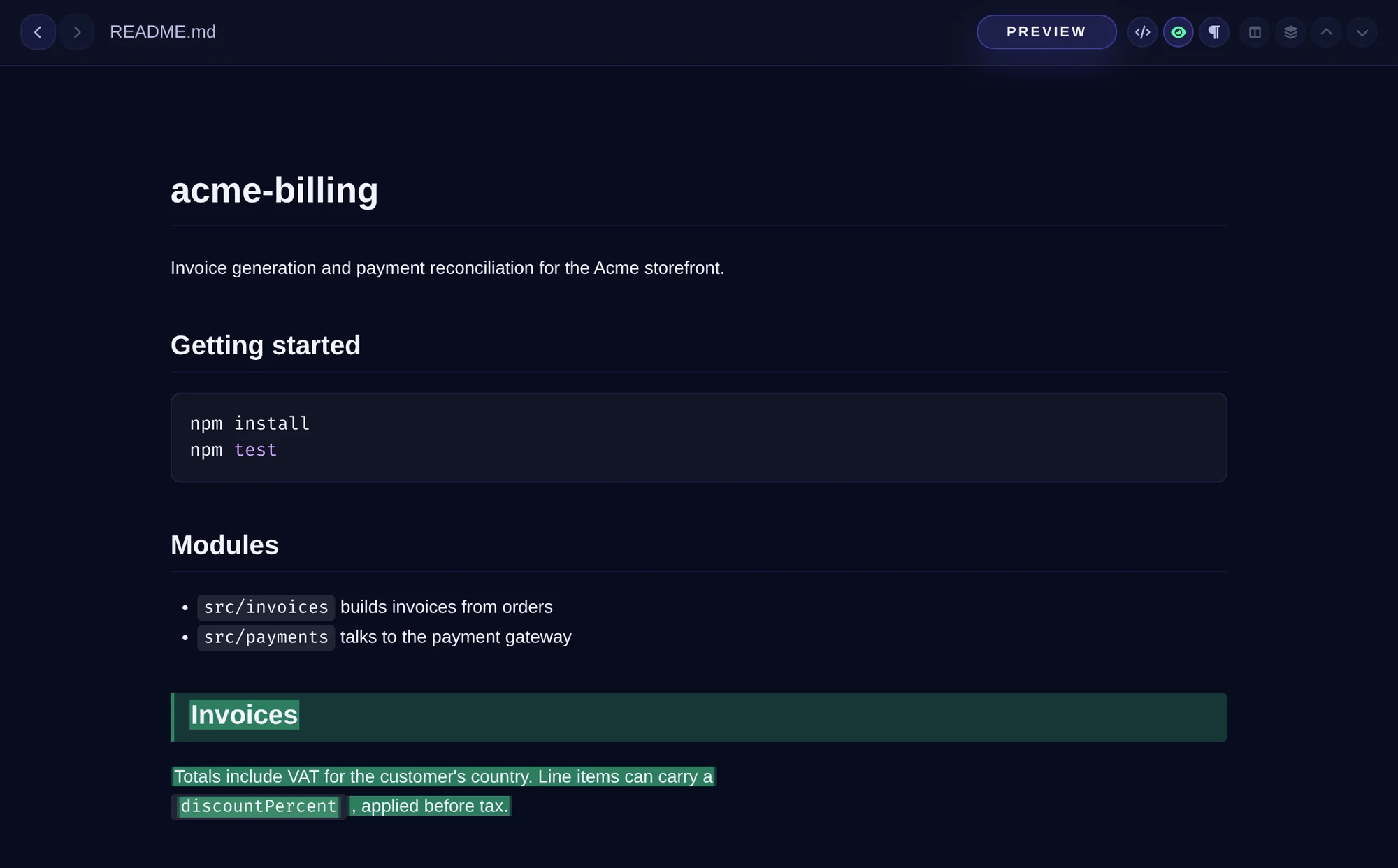
- Added lines are highlighted - When the file has changes, the content they add is highlighted in the rendered preview, so you can review documentation as prose instead of as raw Markdown.
- Mermaid diagrams render inline.
- Local images resolve relative to the file. In pull request mode, an image that cannot load offers to open it in your browser instead.
- Ctrl/Cmd + F searches the rendered preview, and Ctrl/Cmd + scroll zooms it.
- The preview updates when the file changes on disk.